Back to Blog
Best portfolio management software for individuals: Picks
Discover the best portfolio management software for individuals with top picks, features, and pricing to help you invest smarter today.
Oct 24, 2025
generated

Managing your investments with a jumble of spreadsheets and manual calculations is a recipe for missed opportunities and unnecessary stress. To achieve your financial goals, you need a clear, real-time view of your entire portfolio, from stocks and retirement accounts to crypto and real estate. A dedicated tool can consolidate these disparate assets, track performance, analyze allocation, and help you understand your true net worth without the manual data entry.
Finding the right platform, however, can be overwhelming. This guide is designed to help you discover the best portfolio management software for individuals by providing a detailed, hands-on comparison of the top options available today. We've analyzed each tool's core features, ideal user, and practical limitations to give you the insights needed to make a confident choice. For those seeking an even broader look at the market, some compilations offer different perspectives. If you're looking for more options or a broader overview, you can explore other highly-rated 12 Best Investment Portfolio Management Tools for a wider comparison.
Our goal is to help you move beyond the spreadsheet. We'll show you exactly how each platform works with screenshots, direct links, and clear analysis, so you can pick the perfect tool to intelligently track your investments and build wealth more effectively.
1. Empower Personal Dashboard (Empower)
Overview
Empower Personal Dashboard is a free, all-in-one net-worth and investment tracking tool that syncs brokerage, retirement, bank, and loan accounts in one view. Its mature interface and mobile apps help individuals benchmark performance, analyze fees, and model retirement goals.
Key Features
Account aggregation across multiple institutions
Performance vs market indexes and peer groups
Allocation, diversification, and fee analyzer modules
Interactive retirement planner with Monte Carlo projections
Web dashboard and iOS/Android app access (no subscription fee)
“Get a 360° view of your finances without paying a dime”
Pros & Cons
Pros:
Robust portfolio and net-worth insights at no cost
High App Store ratings and polished UX
Cons:Occasional re-authentication issues during 2025 app updates
In-app offers for Empower advisory services
Practical Tips
Use the Fee Analyzer to uncover hidden brokerage charges
Set custom alerts for allocation drift beyond 5%
Regularly refresh account connections after major platform updates
Access Empower at https://www.empower.com/track-your-portfolio to start tracking.
Learn more about digital wealth management platforms: Learn more about digital wealth management platforms
2. Quicken Simplifi (Quicken)
Overview
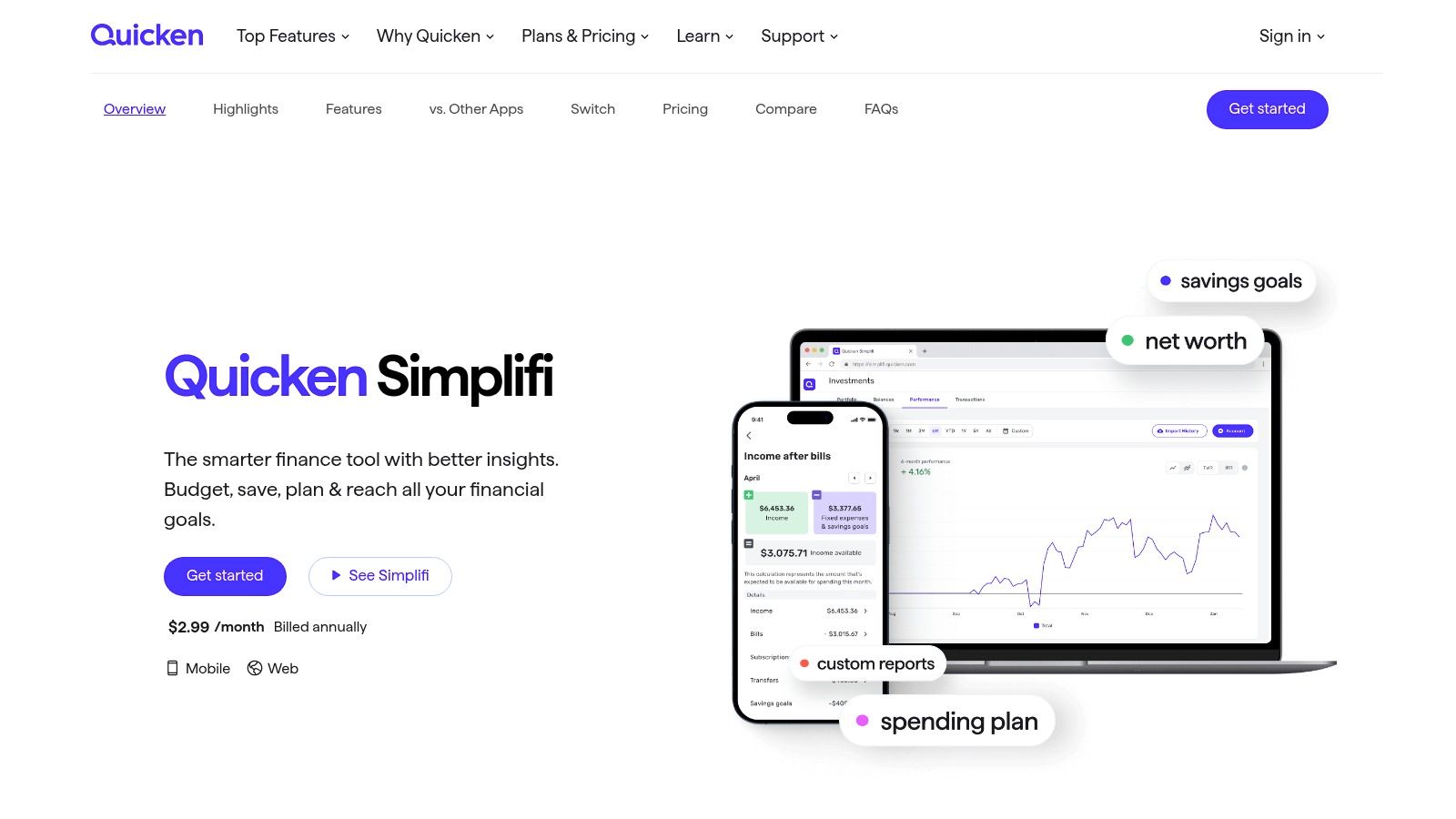
Quicken Simplifi is a modern, cloud-based personal finance app designed for individuals who want an integrated view of their budgeting, spending, and investments. It offers a streamlined web and mobile experience that syncs banking, credit, loan, and investment accounts for a holistic financial picture.
Key Features
Consolidated tracking of investment holdings and performance
Combined cash-flow planning, budgeting, and savings goals
Real-time alerts for spending and balance changes
Customizable reports for a tailored financial overview
Web dashboard with companion iOS and Android apps
“A modern app to manage your money and investments, all in one place”
Pros & Cons
Pros:
Simple, cloud-first setup with an intuitive user interface
Clear subscription terms and a 30-day money-back guarantee Cons:
Users occasionally report account aggregation disconnects
Some users have noted friction with data deletion after cancellation
Practical Tips
Use the Spending Plan feature to see how investments affect your monthly cash flow
Create custom watchlists to monitor specific stocks or funds within your portfolio
Leverage the reporting tools to track your portfolio's performance against your budget
Access Quicken Simplifi at https://www.quicken.com/simplifi to get started.
3. Quicken Classic Premier (Desktop)
Overview
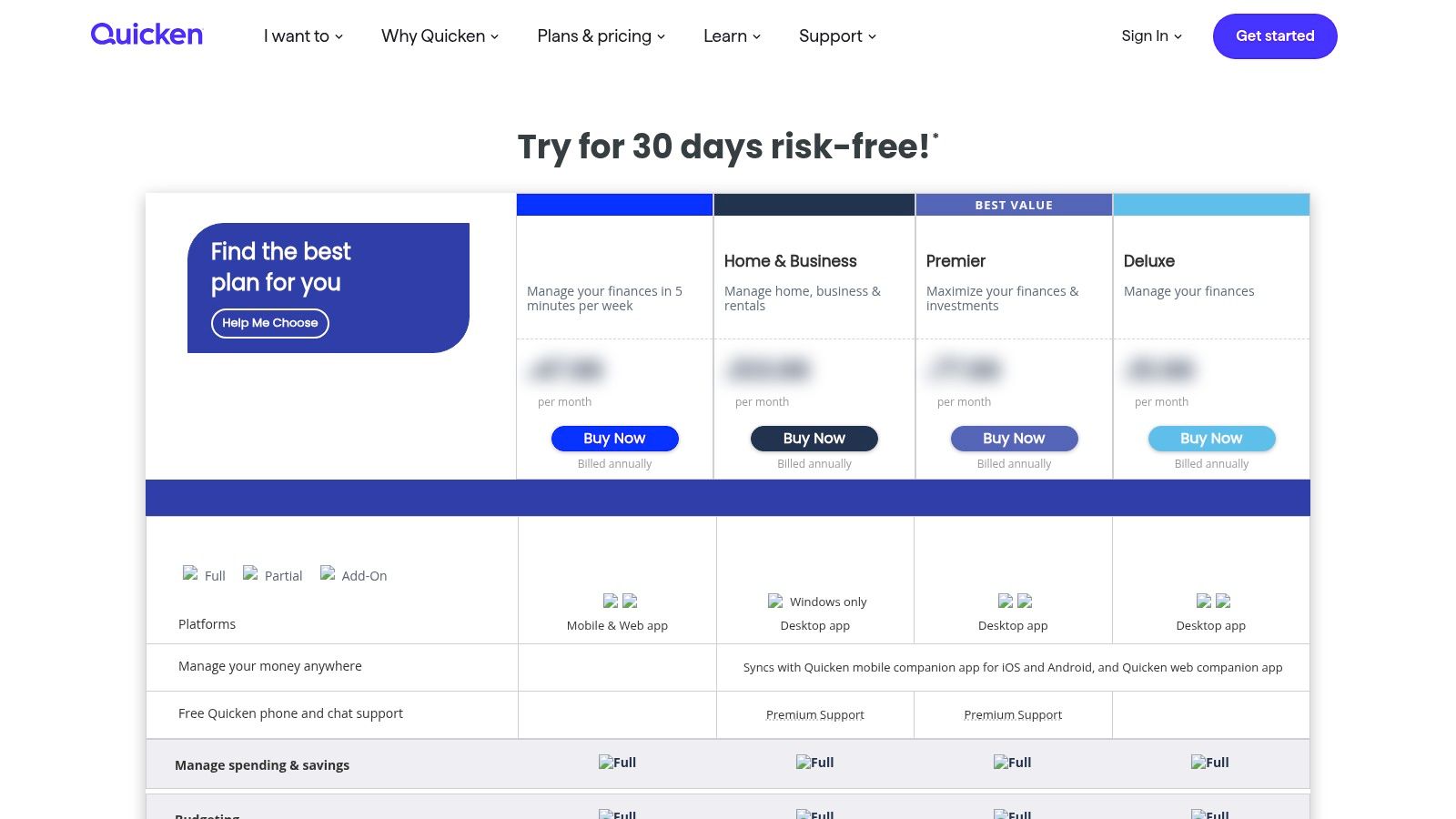
Quicken Classic Premier is a powerful desktop-based solution for Windows and macOS, offering advanced investment tracking for dedicated DIY investors. It excels at managing complex portfolios by providing detailed cost-basis tracking, performance reporting, and lot-level data, all while downloading transactions directly from most major brokerages. This software is ideal for individuals who prefer the security and control of local data files combined with the convenience of an optional cloud-sync companion.
Key Features
Detailed portfolio analysis with views for holdings, allocation, and lot-level detail
Direct transaction downloads from thousands of U.S. financial institutions
In-depth tax planning tools for realized and unrealized capital gains
Desktop-first experience with local data files for offline access
Companion web and mobile apps for viewing synced data on the go
“The gold standard for granular, offline-first investment tracking and reporting.”
Pros & Cons
Pros:
Deep investment reporting capabilities long favored by meticulous investors
Works offline with local data files, offering enhanced privacy and control Cons:
The desktop-first model may feel dated for users accustomed to web-only platforms
Some bank and credit card connectors can occasionally require troubleshooting to maintain sync
Practical Tips
Use the "Capital Gains Estimator" to model tax implications before selling securities
Regularly back up your local Quicken data file to an external drive for security
Reconcile investment accounts monthly to ensure transaction downloads are accurate
Access Quicken at https://www.quicken.com/product-selector/plans to review subscription plans.
4. Kubera
Overview
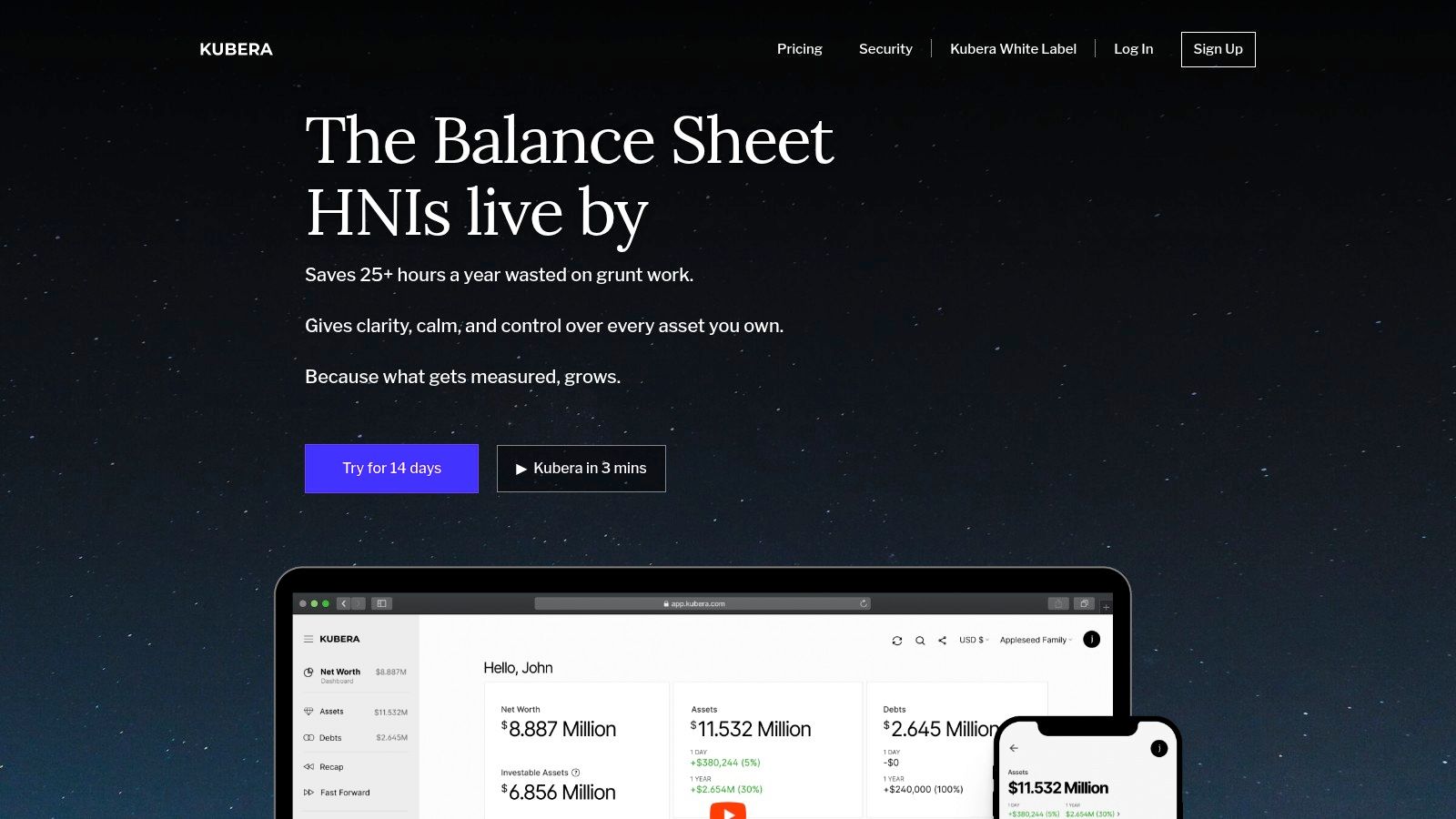
Kubera is a modern, privacy-focused net worth tracker designed for individuals with diverse and global asset portfolios. It excels at aggregating traditional investments like stocks alongside alternative assets such as cryptocurrency, real estate, and even private equity, all presented in a clean, minimalist interface.
Key Features
All-in-one aggregation: Connects to global banks, brokerages, and crypto exchanges via Plaid and specialized APIs.
Manual asset tracking: Easily add illiquid assets like real estate, vehicles, or collectibles.
Beneficiary feature: A secure "dead-man’s switch" that transfers portfolio access to a designated beneficiary.
Privacy-first: No ads, no upselling, and a commitment to not selling user data.
Multi-currency support: Tracks assets and net worth in any currency.
“Finally, a single dashboard for your entire global portfolio, from crypto to collectibles.”
Pros & Cons
Pros:
Excellent for tracking illiquid, alternative, and global assets.
Strong focus on user privacy with an ad-free experience.
The unique beneficiary feature provides a clear estate planning tool. Cons:
Subscription-based with no permanent free plan.
Advanced features like nested portfolios require a higher-priced plan.
Practical Tips
Manually enter your physical assets like art or cars to get a true net worth picture.
Set up the beneficiary feature as part of your digital estate planning process.
Use its strong cryptocurrency integrations to manage your digital assets effectively.
Access Kubera at https://www.kubera.com to start tracking. Read a detailed review of Kubera: Learn more about Kubera’s DeFi tracking capabilities
5. Sharesight
Overview
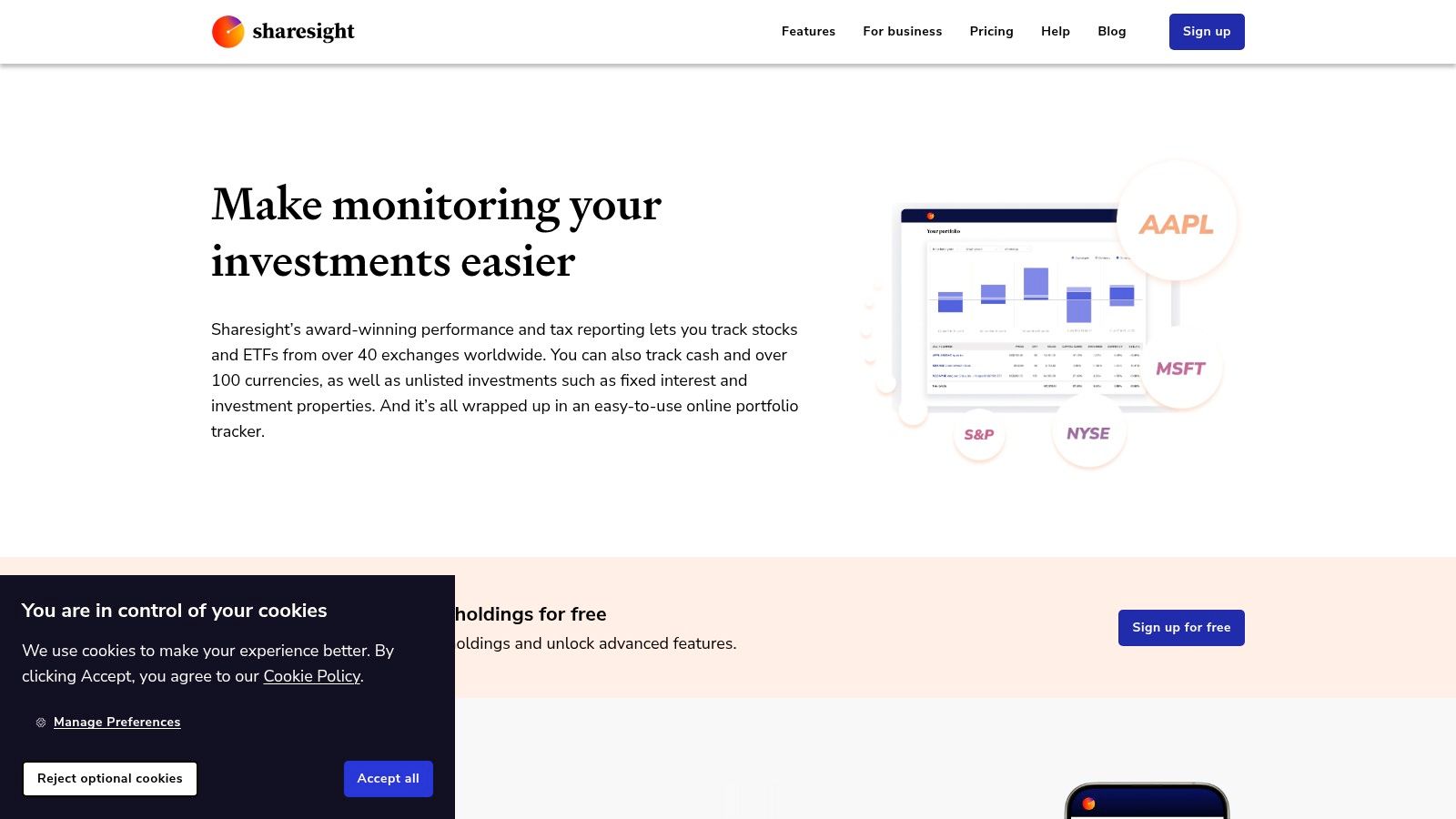
Sharesight is an online portfolio tracker renowned for its automated handling of corporate actions, dividends, and splits. It provides deep insights into true performance by accounting for these events, making it a standout choice for long-term, dividend-focused investors who require precise tax and performance reporting.
Key Features
Automatic handling of dividends, stock splits, and corporate actions
Performance reporting adjusted for dividends, currency, and brokerage fees
Tax reporting tools, including Capital Gains Tax and Unrealised CGT reports
Multi-currency and multi-portfolio support from a single account
Direct integration with over 200 global brokers for trade syncing
“Finally, a portfolio tracker that truly understands buy-and-hold investing.”
Pros & Cons
Pros:
Excellent, automated dividend and tax reporting simplifies record-keeping
Free tier is great for beginners with a small portfolio (up to 10 holdings)
Powerful performance benchmarking against a wide range of indexes Cons:
Advanced tax and performance reports are locked behind paid subscriptions
The user interface can feel less modern than some newer competitors
Practical Tips
Use the Taxable Income Report to easily prepare figures for your annual tax return
Set up trade confirmation emails to automatically import new transactions from your broker
Benchmark your portfolio against a custom index to accurately measure your strategy's success
Access Sharesight at https://www.sharesight.com/us/portfolio-tracker/ to get started. Learn more about how to calculate investment returns: Learn more about calculating investment returns
6. Stock Rover
Overview
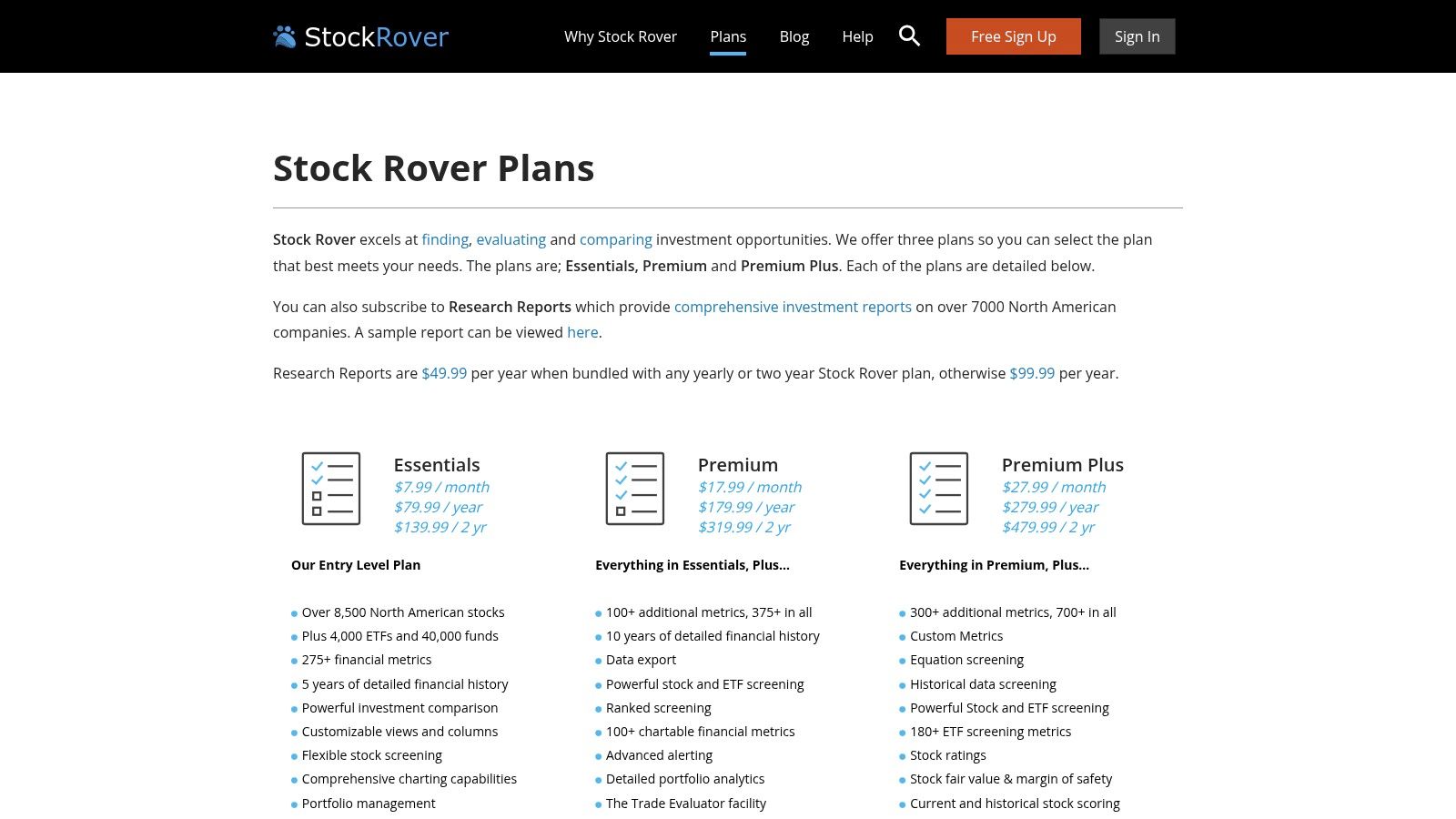
Stock Rover is a comprehensive research and portfolio management platform designed for fundamental investors who require deep analytical tools. It excels at screening, portfolio analysis, and rebalancing, making it a powerful solution for those managing U.S. and North American equities. The platform integrates with major brokerages to provide live portfolio tracking alongside its robust research capabilities.
Key Features
Brokerage integration for live portfolio linking and management
Advanced screening with over 700 sortable financial metrics
Portfolio rebalancing, correlation analysis, and dividend income tools
Monte Carlo simulations and scenario modeling for risk assessment
Detailed stock and ETF research reports and charting capabilities
“A research powerhouse for the data-driven fundamental investor”
Pros & Cons
Pros:
Unmatched analytical depth for serious fundamental investors
Flexible subscription tiers (including a free plan) and responsive support Cons:
Primarily focused on U.S. and North American markets
Can have a steep learning curve for new users due to its feature density
Practical Tips
Leverage the pre-built screeners to discover investment ideas based on proven strategies
Use the rebalancing tool to maintain your target asset allocation automatically
Explore the correlation analysis module to understand how your holdings move in relation to each other
Access Stock Rover at https://www.stockrover.com/plans/ to explore subscription tiers.
7. Morningstar Investor
Overview
Morningstar Investor is a premium subscription service built on the company's renowned independent research. It combines robust portfolio analysis with access to professional-grade analyst reports, ratings, and screeners, making it ideal for investors who prioritize in-depth fund and stock due diligence alongside tracking.
Key Features
Portfolio X-Ray tool for analyzing allocation, style, and sector concentration
Access to independent analyst reports and proprietary Morningstar ratings
Advanced screeners for stocks, ETFs, and mutual funds
Curated investment idea lists and model portfolios from Morningstar experts
Watchlist functionality integrated with news and research alerts
“Leverage professional-grade research to analyze and improve your portfolio”
Pros & Cons
Pros:
Industry-leading, unbiased research and data for deep analysis
Powerful tools for discovering and vetting new investment ideas Cons:
Annual subscription cost is higher than many competitors
Portfolio tools are analytical, not transactional like broker-linked platforms
Practical Tips
Use the Portfolio X-Ray tool to uncover unintended concentration risks in your holdings
Set up watchlists for target funds and stocks to get alerts on rating changes
Before buying a fund, always review the full Morningstar Analyst Report to understand its strategy and risks
Access Morningstar at https://www.morningstar.com/products/investor to start your trial.
8. Portfolio Visualizer
Overview
Portfolio Visualizer is a leading web-based analytics suite for sophisticated individuals looking to design, backtest, and stress-test investment strategies. Unlike live account aggregators, this platform excels at quantitative analysis, offering powerful tools for historical performance modeling and portfolio optimization before you commit capital. It is an essential resource for data-driven DIY investors.
Key Features
Historical backtesting across a wide range of asset classes
Portfolio optimization tools, including efficient frontier analysis
Monte Carlo simulators for retirement and withdrawal scenarios
Factor analysis, regression models, and tactical allocation testing
Free access to core tools with premium tiers for advanced features
“Stress-test your investment theories with institutional-grade analytics”
Pros & Cons
Pros:
Best-in-class analytics for designing or refining portfolios
Extensive historical datasets for robust, long-range analysis Cons:
Focused on analysis, not live account tracking or aggregation
Most valuable for users comfortable with quantitative concepts
Practical Tips
Use the "Backtest Portfolio" tool to compare your current allocation against historical benchmarks
Run a Monte Carlo simulation to assess the long-term viability of your retirement withdrawal strategy
Leverage the "Factor Analysis" module to understand your portfolio's exposure to risk factors like value and momentum
Access Portfolio Visualizer at https://www.portfoliovisualizer.com to begin your analysis.
9. Seeking Alpha Premium
Overview
Seeking Alpha Premium is an investment research platform that integrates portfolio tracking with in-depth, crowdsourced analysis. It connects your holdings to a constant stream of relevant news, quant ratings, and analyst opinions, making it ideal for active investors who prioritize research-driven decision-making.
Key Features
Portfolio syncing with news and analysis directly tied to your holdings
Proprietary Quant Ratings for stocks, grading them on value, growth, and momentum
Advanced stock and ETF screeners with hundreds of financial metrics
Customizable alerts for price changes, rating updates, and breaking news
Access to exclusive Premium content and a library of investment ideas
“Connect your portfolio directly to a world of institutional-grade research and data”
Pros & Cons
Pros:
Extensive library of equity research from a diverse community of investors
Strong alerting system and news-to-portfolio linkage for timely insights Cons:
Price changes and feature gating between tiers can be confusing
User reports of inconsistent brokerage linkage and mixed support experiences
Practical Tips
Use the Quant Screener to find new investment ideas that match your specific criteria
Set up custom alerts on your current holdings to be notified of any rating changes
Link your brokerage account to get analysis that is contextually relevant to your portfolio
Access Seeking Alpha at https://seekingalpha.com to explore its features.
10. Yahoo Finance Plus (Yahoo)
Overview
Yahoo Finance Plus is a premium subscription that enhances the classic Yahoo Finance experience with advanced analytical tools. It builds upon the free "My Portfolio" tracker, adding in-depth performance metrics, research reports, and fair-value estimates for investors who want more powerful features within a familiar, widely-used interface.
Key Features
Advanced portfolio analytics including risk, performance, and diversification scoring
Access to detailed company research reports and fair-value estimates from Argus
Linked brokerage account syncing or manual entry in "My Portfolio"
Advanced charting with technical events and automated pattern recognition
Available on desktop web and through the Yahoo Finance mobile apps
“Upgrade the portfolio tracker you already know with professional-grade analytics”
Pros & Cons
Pros:
Seamless integration with an existing, well-known financial platform
Strong value proposition when purchased during promotional trial periods Cons:
Users report occasional instability and high resource usage on desktops
Analytical tools and research coverage are heavily skewed toward U.S. equities
Practical Tips
Use the "Diversification Score" to quickly identify concentration risks
Leverage the fair value analysis to find potentially undervalued stocks for your watchlist
Start with the free trial to ensure the premium features meet your specific analytical needs
Access Yahoo Finance Plus at https://finance.yahoo.com/plus to get started.
11. Delta Investment Tracker (Delta.app)
Overview
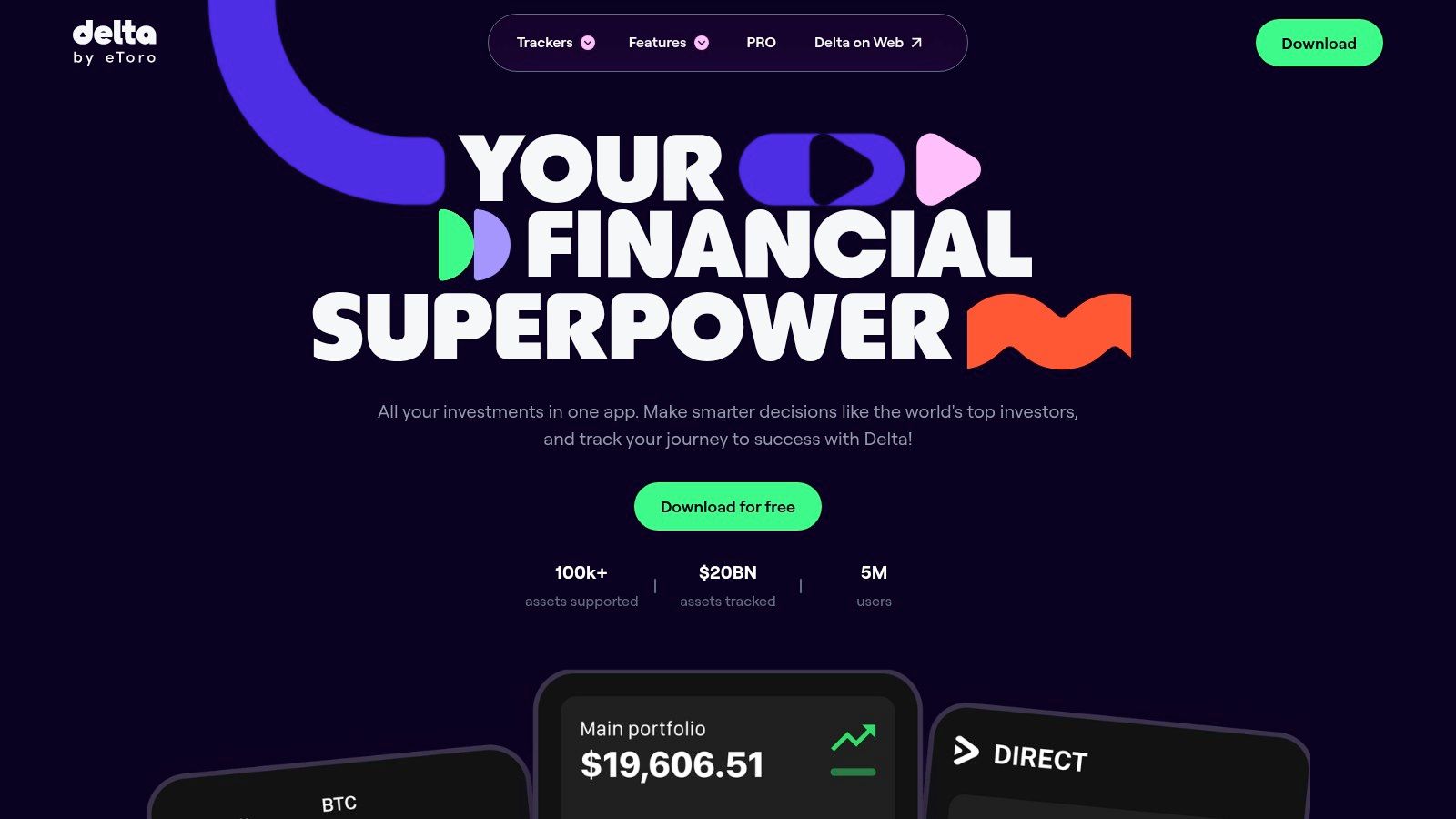
Delta is a multi-asset investment tracker designed for individuals who need a unified, mobile-first view of their stocks, cryptocurrencies, ETFs, and even NFTs. It stands out by connecting with a vast number of exchanges, wallets, and brokers to automatically sync holdings, providing a sleek and comprehensive overview.
Key Features
Multi-Asset Sync: Connects to thousands of exchanges, wallets, and brokers for automatic updates.
Advanced Metrics: Offers detailed profit/loss analysis, portfolio performance, and asset allocation insights.
"Why is it Moving?": Provides real-time, personalized news and updates explaining price changes for assets you hold.
Mobile-First Design: Polished and intuitive iOS and Android apps for on-the-go portfolio management.
Free and Pro Tiers: A capable free version is available, with a Pro subscription unlocking unlimited connections and deeper analytics.
“The ultimate mobile companion for tracking mixed stock and crypto portfolios with ease.”
Pros & Cons
Pros:
Exceptional user interface and experience on mobile devices.
Excellent for investors holding both traditional stocks and various cryptocurrencies.
Flexible pricing with a functional free tier for basic tracking.
Cons:
Advanced analytics and unlimited connections require a paid Pro subscription.
The desktop experience is less feature-rich than the mobile app.
Practical Tips
Use the "Why is it Moving?" feature to quickly understand market volatility affecting your specific holdings.
Connect your most active brokerages and crypto exchanges first to maximize the benefit of automatic syncing.
Evaluate the free tier thoroughly before upgrading to Pro to ensure you need the advanced features.
Access Delta at https://delta.app to start tracking.
12. Fidelity Full View (for Fidelity customers)
Overview
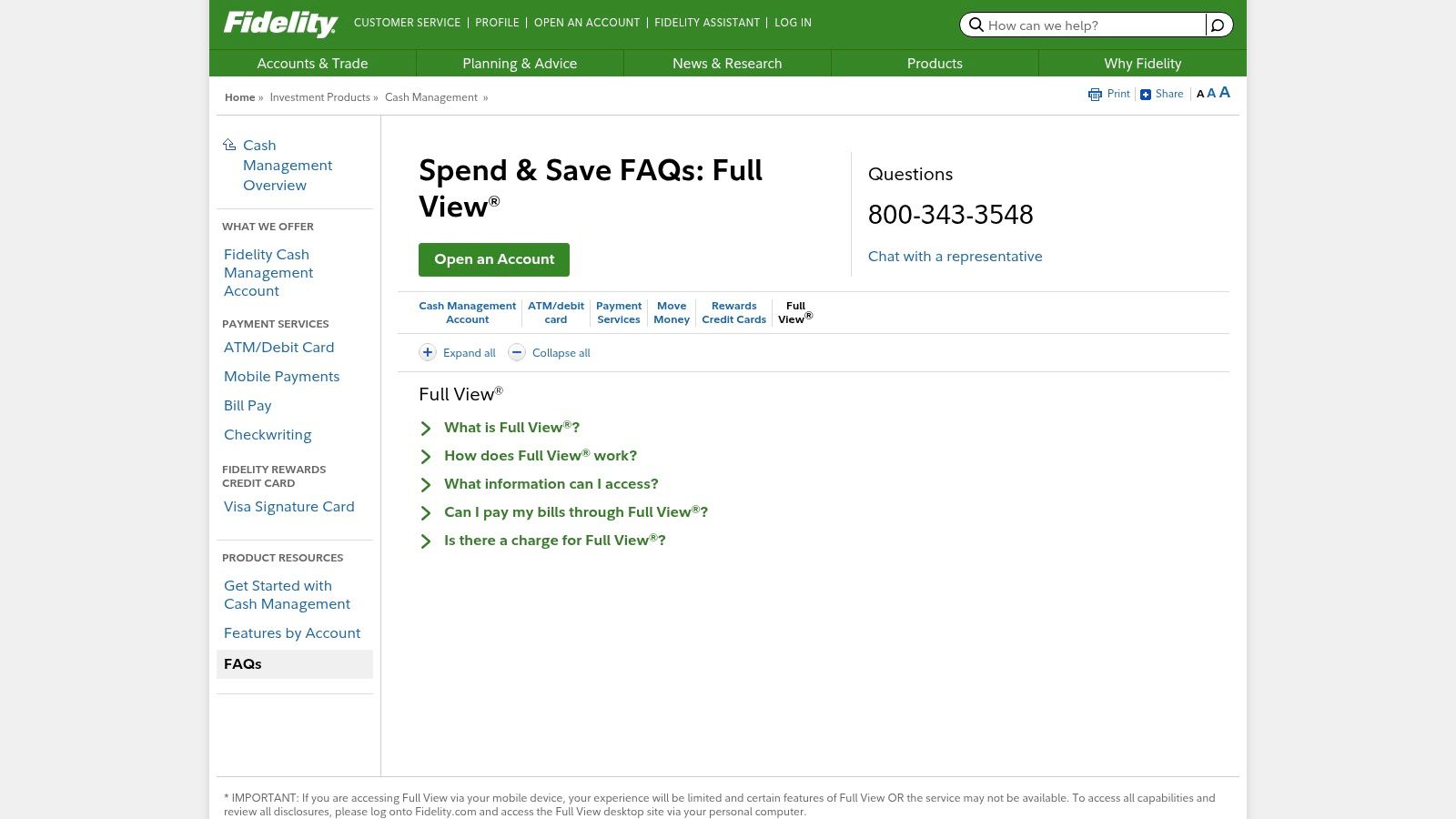
Fidelity Full View is a free account aggregation tool available to all Fidelity customers, designed to provide a complete picture of your financial life. Powered by the robust eMoney Advisor platform, it consolidates both Fidelity and external accounts, including investments, banking, and loans, into a single, cohesive net-worth dashboard.
Key Features
Account Aggregation: Link unlimited external financial accounts to view balances and transactions in one place.
Net Worth Tracking: Automatically calculates and displays your real-time net worth.
Spending & Budgeting: Categorizes transactions from linked accounts to monitor spending habits and create budgets.
Fidelity Ecosystem Integration: Data from Full View can inform certain Fidelity planning and guidance tools.
Powered by eMoney: Leverages a trusted and secure third-party data aggregation service.
“A convenient, no-cost dashboard for those already invested in the Fidelity ecosystem.”
Pros & Cons
Pros:
No additional cost for existing Fidelity customers.
Utilizes the reliable and secure eMoney aggregator backend.
Seamlessly integrates with your primary Fidelity accounts.
Cons:
Requires a Fidelity account to access and is tied to that login.
Lacks the advanced analytical features of premium, dedicated portfolio trackers.
The user interface is functional but less modern than some competitors.
Practical Tips
Use the budgeting tool to track spending across all linked cards and bank accounts, not just Fidelity ones.
Regularly review your "Account Groups" to ensure your assets are categorized correctly for accurate analysis.
Link all your liabilities, like mortgages and student loans, for a true net-worth calculation.
Access Fidelity Full View at https://www.fidelity.com/cash-management/faqs-full-view to get started.
Top 12 Personal Portfolio Management Tools Comparison
Platform | Core features | UX & Trust (★) | Price / Value (💰) | Target (👥) | Unique selling point (✨/🏆) |
|---|---|---|---|---|---|
Empower Personal Dashboard (Empower) | Aggregates accounts, allocation analysis, fee & retirement tools | ★★★★ | 💰 Free core; optional advisory upsell | 👥 Individuals wanting robust net-worth views | 🏆 All-in-one free portfolio + retirement insights |
Quicken Simplifi (Quicken) | Budgeting + investment tracking, alerts, multi-device | ★★★★ | 💰 Low-cost subscription | 👥 Budgeters who want investment visibility | ✨ Combines cashflow budgeting with portfolio tracking |
Quicken Classic Premier (Desktop) | Lot-level cost basis, deep reporting, downloads | ★★★★ | 💰 Paid desktop license (one-time/renewal) | 👥 DIY investors needing detailed reports | 🏆 Desktop-first lot-level tax & performance tools |
Kubera | Cross-asset aggregation, multi-currency, estate transfer | ★★★★ | 💰 Premium subscription only | 👥 High-net-worth / complex global portfolios | ✨ Privacy-first design + dead-man’s switch for heirs |
Sharesight | Dividend & corporate-action handling, tax reporting | ★★★★ | 💰 Free small tier; paid for advanced reports | 👥 Dividend-focused, long-term investors | 🏆 Automatic dividends & corporate-action accuracy |
Stock Rover | Deep screening, 700+ metrics, rebalancing & simulations | ★★★★ | 💰 Tiered subscriptions (power-user pricing) | 👥 Fundamental investors & analysts | ✨ Extensive metric library + advanced screeners |
Morningstar Investor | Analyst reports, ratings, fund/ETF analysis | ★★★★ | 💰 Paid subscription (discounts sometimes) | 👥 Fund/ETF due-diligence users | 🏆 Trusted independent research & ratings |
Portfolio Visualizer | Backtesting, optimization, Monte Carlo, factor analysis | ★★★★ | 💰 Mostly free; premium features paid | 👥 Quantitative investors & strategy testers | 🏆 Best-in-class portfolio analytics & stress tests |
Seeking Alpha Premium | Crowdsourced + in-house research, alerts, screeners | ★★★ | 💰 Paid (frequent promotions) | 👥 Active equity investors & idea hunters | ✨ Large community + linked research-to-portfolio |
Yahoo Finance Plus (Yahoo) | Advanced portfolio analytics, fair-value estimates | ★★★ | 💰 Paid upgrade; good promos | 👥 Casual investors using Yahoo ecosystem | ✨ Familiar UI with enhanced analytics |
Delta Investment Tracker (Delta.app) | Exchange/wallet links, multi-asset syncing, mobile UX | ★★★★ | 💰 Free tier; Pro subscription for advanced features | 👥 Mobile-first users with mixed stock & crypto | 🏆 Sleek mobile experience + strong crypto support |
Fidelity Full View (for Fidelity customers) | External account aggregation via eMoney, net-worth reports | ★★★ | 💰 Free for Fidelity clients | 👥 Fidelity customers wanting consolidated views | ✨ Integrated with Fidelity tools; included at no extra cost |
Choosing the Right Tool for Your Financial Journey
Navigating the landscape of personal finance tools can feel as complex as managing the investments themselves. We've explored a dozen of the best portfolio management software options available, from comprehensive net worth trackers to powerful stock analysis platforms. The journey from data chaos to financial clarity begins with selecting a single tool that aligns with your specific needs, and the right choice is rarely a one-size-fits-all solution.
Your ideal platform hinges on your unique investor profile. Are you a hands-off, long-term investor primarily focused on tracking your retirement accounts and overall net worth? A free, powerful aggregator like Empower Personal Dashboard or Fidelity Full View (for existing customers) is likely your best starting point. These tools excel at providing a high-level, consolidated view of your financial life without a hefty price tag.
Tailoring the Software to Your Strategy
For investors who demand more granular control and in-depth analytics, the decision becomes more nuanced. If your strategy involves deep fundamental and technical analysis, Stock Rover and Seeking Alpha Premium offer institutional-grade research and screening capabilities that can help you uncover new opportunities and stress-test your theses. Similarly, Morningstar Investor provides trusted, independent research that is invaluable for evaluating mutual funds, ETFs, and individual stocks.
On the other hand, if your portfolio is a modern mix of stocks, real estate, crypto, and other alternative assets, a tracker built for diversification is crucial. Kubera and Delta Investment Tracker stand out in this category, offering sleek interfaces and broad connectivity to both traditional brokerage accounts and crypto wallets. These platforms answer the call for a unified dashboard in an increasingly fragmented investment world.
Key Factors for Your Final Decision
As you weigh your options, move beyond the feature lists and consider the practical, day-to-day experience. Ask yourself these critical questions:
Cost vs. Value: Does the subscription fee justify the features provided? Start with free trials whenever possible to assess the platform’s real-world value to your workflow.
Usability: Is the interface intuitive and easy to navigate? A powerful tool is useless if you can't figure out how to use it efficiently.
Connectivity: Does it reliably sync with all your financial institutions, including banks, brokerages, and crypto exchanges? Broken connections are a common point of frustration.
Scalability: Will this software grow with you? Consider whether it can handle more complex assets or reporting needs as your portfolio evolves.
Ultimately, the best portfolio management software for individuals is the one that empowers you to make smarter, more confident decisions. It should transform raw data into actionable insights, saving you time and reducing stress. By carefully considering your investment style, asset mix, and long-term goals, you can select a platform that becomes an indispensable partner on your path to financial independence.
For investors holding digital assets, especially those interested in generating passive income through DeFi, optimizing yield can be a full-time job. If you're looking to simplify this process, Yield Seeker uses AI-powered agents to automatically find and manage the best yield-farming opportunities for your crypto. Explore how our automated strategies can enhance your digital asset returns at Yield Seeker.